Best Family Caregiving Apps for Medical Records (2026)
Discover the best family caregiving apps for medical records in 2026 to easily organize prescriptions and lab results while reducing your daily...
Choosing the right app to help manage your family's caregiving responsibilities is a big decision, and it's one you deserve to feel confident about. With 63 million family caregivers in the United States, nearly 1 in 4 adults according to AARP and the National Alliance for Caregiving, and almost a third of them also raising children under 18, the need for reliable tools has never been greater. But not every app is built with your actual daily life in mind. Before you download anything, asking the right questions about a caregiving app can save you time, frustration, and the headache of switching platforms later. The good news? You already know more about what you need than you think. Your experience managing appointments, medications, family conversations, and paperwork has made you an expert in what works and what doesn't. This guide will help you turn that instinct into a clear checklist so you can pick an app that genuinely fits your family.
Short answer: the features that move work off the one person currently holding everything. In practice that comes down to five things. A shared view, so a sibling or spouse can check the latest without asking you. Task ownership, so "I thought you were handling that" stops happening. One medication and provider list that everyone updates in the same place. Reminders that go to whoever is responsible, not only to you. And plain-language answers drawn from your own family's information, so you are not the only person who can translate what the doctor said. If an app mostly gives you a nicer to-do list for yourself, it has not touched the mental load. The questions below help you tell the difference, and this guide to getting your whole family on the same page covers what to put in the shared view once you have one.
One of the first things to ask yourself is whether an app is built for your life or built for a clinical setting. Many tools on the market are designed for healthcare professionals or home care agencies, which means they come loaded with features you'll never use and lack the ones you actually need, like shared task lists or a simple way to keep siblings updated.
What you really want is a lifestyle and family management layer: something that fits into the rhythm of your daily routine without adding clinical overhead. Think of it as the difference between a hospital charting system and a shared family planner that happens to handle medical details too. Neela, for example, was designed specifically as this kind of layer for unpaid family caregivers. She brings appointments, notes, documents, medications, and conversations into one shared view, so you're not toggling between five different apps and a group text thread.
A good first step: write down the three tasks that eat up most of your time each week. Then check whether any app you're considering actually addresses those specific tasks.
Your loved one's personal information deserves serious protection. Before you commit to any app, ask pointed questions about how data is stored, who can access it, and whether the company meets recognized security standards. HIPAA compliance is a strong indicator that an app takes privacy seriously, but don't stop there. Find out whether your data is encrypted both in transit and at rest, and whether the company sells or shares user data with third parties.
You should also ask what happens to your information if you cancel your account. Can you export your data? Is it deleted permanently? These are practical questions that protect your family.
Family caregivers often handle sensitive documents: insurance cards, advance directives, power of attorney forms, medication lists. A secure vault feature should let you store, organize, and retrieve these documents quickly. Neela's Vault, for instance, offers HIPAA-compliant document storage so that your loved one's records stay private and accessible only to people you've invited into your care network.
Ask whether the vault supports common file types (PDFs, photos, scanned documents) and whether you can organize files by category. Bonus points if the app lets you share specific documents with a family member without giving them access to everything.
Some apps position themselves as medical records platforms, which can create confusion about what they actually do. A family management app isn't a substitute for your loved one's patient portal or electronic health record. Instead, it's a place where you keep your own notes, summaries, and reference documents so you can stay organized between appointments.
The distinction matters because it affects how the app is designed, what data it collects, and how it presents information. Look for an app that's upfront about being a family tool rather than a clinical one.
Caregiving rarely falls on one person's shoulders alone. Whether you're splitting responsibilities with a spouse, a sibling across the country, or an adult child who helps on weekends, the app you choose should make sharing information simple and reliable. Ask how many people can be part of the care network and whether there are different permission levels for different members.
The most common frustration family caregivers describe is repeating the same updates to multiple people. A shared view eliminates that problem by giving everyone access to the same information: upcoming appointments, recent notes, medication changes, and task assignments. Neela was built with this exact scenario in mind, offering one shared source of truth so that everyone in the family stays on the same page without endless phone calls.
Ask whether the shared view updates in real time and whether family members get notifications when something changes. If your brother lives three time zones away, he should be able to open the app at his convenience and see exactly what's happening.
Group texts get buried. Email threads get long. Sticky notes get lost. A caregiving app should give your family a single place to have conversations about your loved one's care and assign tasks with clear ownership and deadlines. This is especially valuable when multiple siblings are involved, because it removes the ambiguity of "I thought you were handling that."
Look for features like task assignment, due dates, and the ability to attach notes or documents to a specific conversation. The goal is to reduce the mental load of tracking who's doing what.
The most feature-rich app in the world is useless if half your family can't figure out how to use it. Before choosing any tool, consider the least tech-savvy person in your care network. Can they log in, find what they need, and contribute without a tutorial? If the answer is no, keep looking.
One of the most valuable features a caregiving app can offer is the ability to ask a question and get a clear, plain-language answer. Neela's Chat feature (called Ask Neela) does exactly this: she responds to caregiving questions instantly, drawing from the information you've already entered about your loved one. That means you get answers tailored to your situation instead of generic search results.
Ask whether the app's AI features answer from your own care information or just pull from a general database. The difference between the two is enormous when you need a quick answer at 9 p.m. on a Tuesday.
Most caregiving happens on the go: in waiting rooms, during pharmacy runs, between work meetings. Your app needs to work well on a phone, not just on a desktop. Check whether the mobile version has full functionality or whether it's a stripped-down version of the web app. Family caregivers who are providing care for more than one person especially need reliable mobile access since they're often managing logistics from multiple locations in a single day.
Test the app on your phone before committing. Open it, add a note, check a calendar entry. If any of those steps feel clunky, that friction will multiply over weeks and months.
Beyond the big-picture questions, you'll want to evaluate the specific tools an app offers for the tasks you handle every day. Not every app needs every feature, but a few are genuinely essential for family caregivers managing ongoing care.
Medical appointments generate a flood of information: new diagnoses, medication adjustments, follow-up instructions, referral names. Trying to remember everything while also supporting your loved one emotionally is a lot. A scribe feature that records and summarizes appointment details can be a real relief. Neela's Scribe turns appointment conversations into clear, organized summaries you can reference later and share with your care network.
Ask whether the scribe feature integrates with the app's calendar and whether summaries are searchable. Being able to pull up "what did the cardiologist say in March?" in seconds is genuinely useful.
Medication management is one of the most detail-heavy parts of caregiving. Beyond pill names, you're tracking dosages, purposes, refill dates, prescribing doctors, and potential interactions. A good app gives you a master medication list that's easy to update and share with family members or bring to appointments.
Provider tracking matters too. When your loved one sees a primary care doctor, a specialist, a physical therapist, and a home health nurse, having all their contact information, office addresses, and notes in one place saves real time. Ask whether the app links providers to specific medications or appointments for a complete picture.
Price matters, but clarity about pricing matters more. Before choosing a caregiving app, ask these questions about cost:
Many family caregivers are already managing significant financial pressures related to their loved one's care. You shouldn't have to guess what an app will cost you next month. Look for transparent pricing pages and avoid apps that bury their costs behind a "contact sales" button.
Long-term support is equally important. Ask whether the app has a responsive support team, a help center, and a track record of regular updates. Caregiving is a long journey, and the app you choose should be one that grows with your family's needs rather than becoming another thing you have to replace.
The questions you ask before selecting a caregiving app reveal what matters most to your family: privacy, simplicity, shared access, and real daily usefulness. You don't need the app with the longest feature list. You need the one that fits your life. Start by identifying your top three pain points, test a few options with those in mind, and trust your instincts. You've been managing complex logistics for your loved one already. The right app just makes that work a little easier to carry. If you'd like to see how Neela fits into your family's routine, visit neelacares.com and explore what she offers.
Complete the form to receive notifications when new blogs are posted. You will only receive an email once a month!
%209.21.jpg)
Discover the best family caregiving apps for medical records in 2026 to easily organize prescriptions and lab results while reducing your daily...
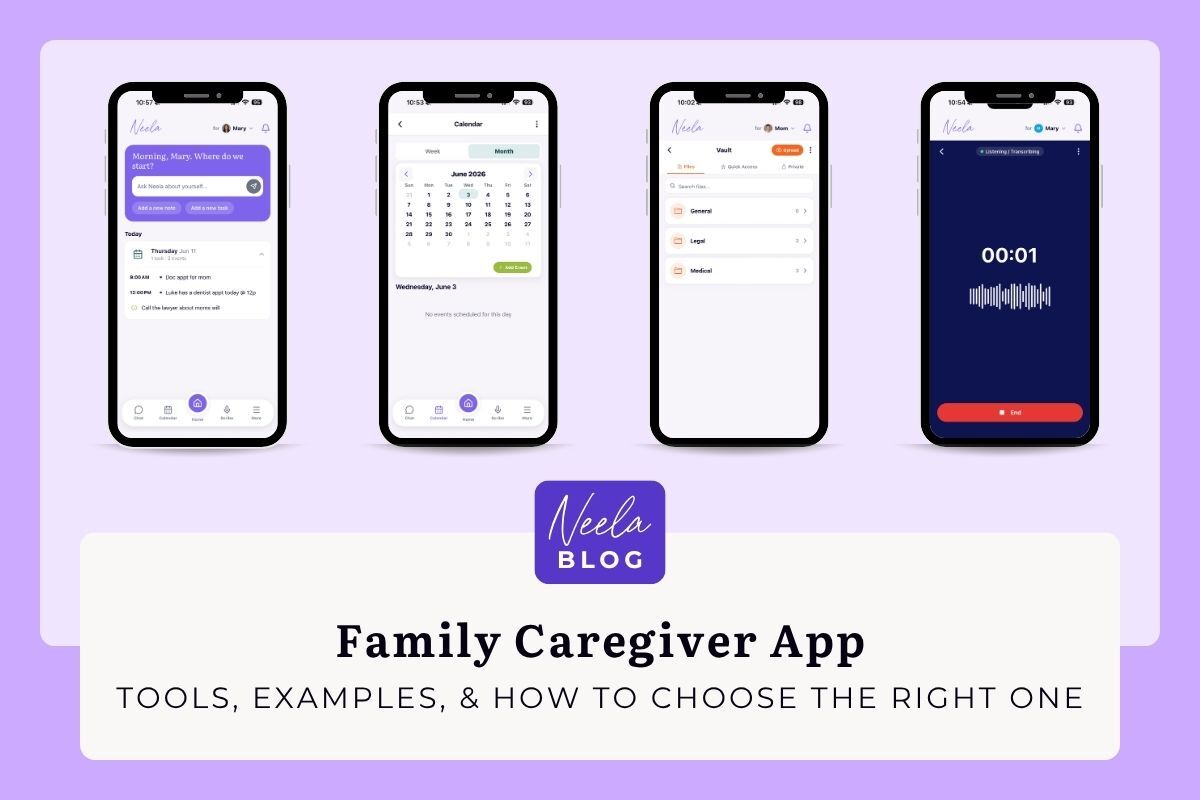
Compare the best family caregiver apps of 2026 by price, platforms, and features. See the free picks, the AI tools, and the right fit for your care...
Learn how much family members get paid for caregiving through Medicaid and VA programs to secure the financial compensation you deserve for your hard...