Why do family caregivers struggle with medical information apps?
Family caregivers struggle with medical information apps because those apps are built for one patient or a clinician, not a family. Here is why, and...
5 min read
Alexis Villazon : Published
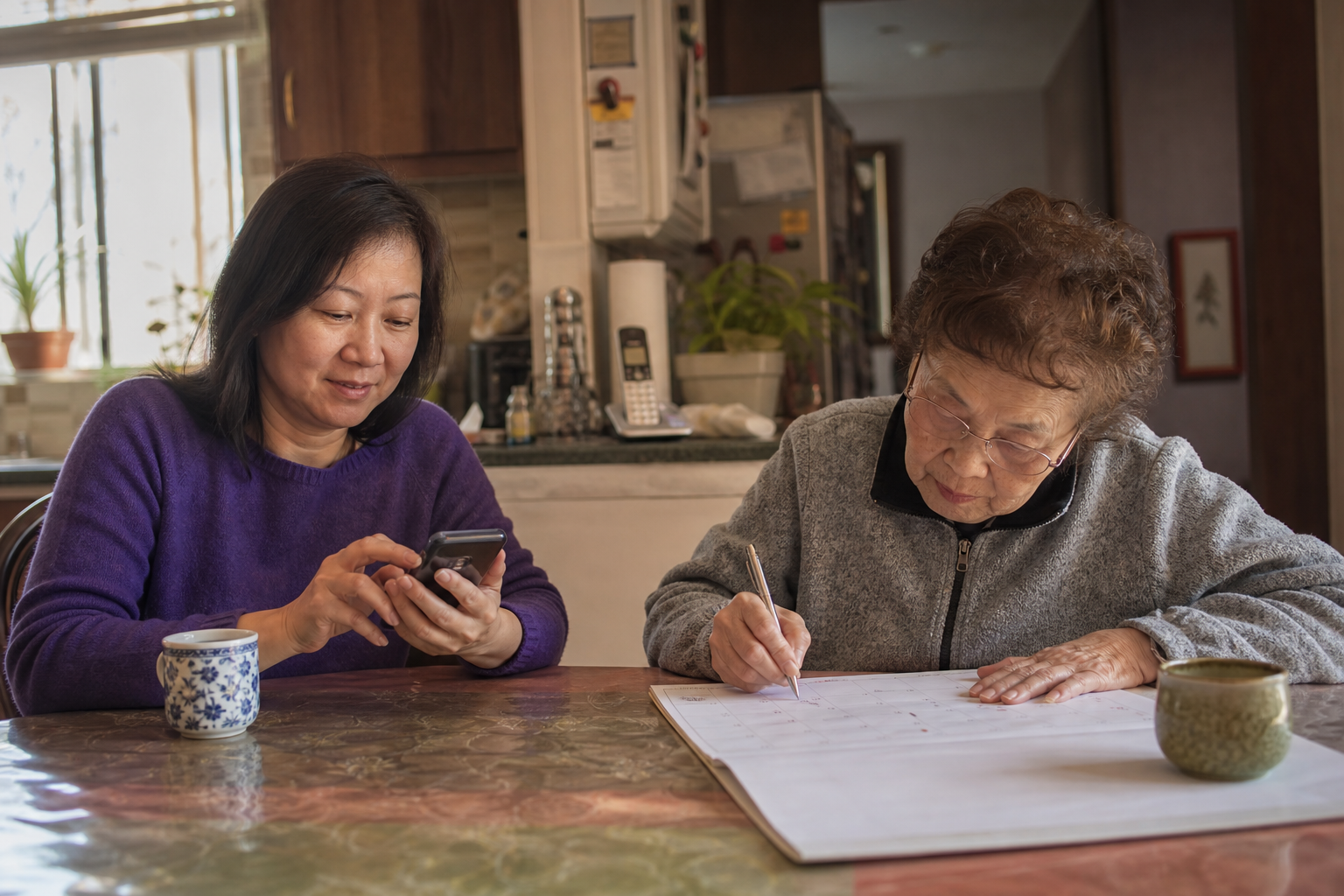
The right caregiving app for parents who don't use technology is one your parent never has to open. You and the rest of the care network use it. Your mom keeps her landline, her paper calendar, and the handwritten list taped inside the kitchen cabinet.
Many family caregivers skip apps entirely because "Mom would never use one." That reasoning makes sense, but it rests on a hidden assumption: that the parent is the one logging in. The app actually lives on your phone and your siblings' phones. It holds the details that used to live in your head, your inbox, and a dozen group texts. Your parent's routine stays exactly as it is.
This guide covers:
When families hear "caregiving app," many picture their dad squinting at a password screen or their mom calling to ask which button to press. That image is why so many people dismiss the idea. It's also the wrong image.
A family caregiver app replaces your tools. It stands in for the spiral notebook you carry to appointments, the sticky notes on your desk, and the text thread where your brother asked about the new blood pressure pill three weeks ago. It also takes over the mental filing cabinet you've been maintaining on your own.
That informational load is the part of caregiving that rarely gets named. Tracking refill dates, remembering what the cardiologist said, and knowing where the insurance card is all takes real effort. An app takes that load off your memory. It leaves your parent's phone and habits alone.
So the better question is "What would make this easier for the people helping Mom?" Whether Mom would use an app doesn't matter.
A good caregiver-side tool gathers the scattered pieces of your parent's care into one place you can reach from anywhere. Here's what that typically looks like:
Family caregivers are already adopting tools like these. Use of remote monitoring technology among family caregivers rose from 13% in 2020 to 25% in 2025, a sign that more families are finding digital support useful.
Your parent's day looks the same as it did yesterday. She still gets phone calls from you, visits from her grandkids, and reminders in whatever form already works for her. If the paper medication list on the fridge keeps her on track, it stays on the fridge.
What changes is behind the scenes. You're no longer the only person holding every detail. When your sister calls Mom, she already knows how Thursday's appointment went. When the aide arrives, the medication list is current.
A quick word on privacy and consent. Tell your parent what you're keeping and why: "I'm saving your medication list and doctor notes so your brother and I can help without bothering you with the same questions." Then respect her wishes about who sees what. Some parents are happy to share everything. Others want certain details kept between them and one child, and that's their call to make.
This is where a shared app really earns its place. Picture a brother three states away who wants to help but keeps missing the details. Instead of waiting for your weekly recap, he reads the appointment summary the same afternoon.
The same goes for hired help. An aide starting a shift can check the current medication list and recent notes on her own. Nobody needs a 20-minute phone briefing. If you're bringing someone new into the home, Questions to Ask Before Hiring an In-Home Caregiver or Agency is a helpful starting point.
Sharing caregiving information with siblings also changes the dynamic. When everyone sees the same facts, conversations shift from "What did the doctor say?" to "What do we do next?" For more on dividing the work, see How to Share Caregiving Duties With Your Siblings. If you live closest to your parent, When You're the Only Sibling Who Lives Nearby covers that situation specifically.
Not every caregiving app is designed with your situation in mind. Many assume the patient is the main user. Use this checklist when comparing options:
For a longer list, Questions to Ask Before Choosing a Caregiving App walks through each consideration. Best Family Caregiving Apps for Medical Records (2026) focuses on document storage specifically.
You don't need a free weekend to get organized. One evening is plenty to build a solid foundation, and "good enough" today beats perfect someday.
Many family caregivers like pairing this digital setup with a physical backup. A simple one-page summary near the front door gives paramedics what they need quickly. How to Organize a Caregiver Binder for Better Care explains how to build one.
Neela was built for exactly this setup. You, the family caregiver, create the account and invite the care network. Your parent does not need an account or a smartphone. She doesn't even need to know which app you chose.
Three features do most of the work:
She also includes Calendar, Tasks, Notes, Providers, and Medications, all in one shared view on mobile and web. Neela is a family layer for daily life. She isn't a clinical records system and doesn't give medical advice.
Does my parent need a smartphone for a caregiving app?
No. With a caregiver-side app, your parent can keep a landline or flip phone and a paper calendar. The app is for you and the people helping. Her routine stays the same.
Can my siblings use the app if they live far away?
Yes, and long-distance siblings often benefit the most. They can read appointment summaries, check the medication list, and see the calendar from anywhere. They can also take on remote tasks like refilling prescriptions online or calling the insurance company.
Is it okay to keep my parent's medical information in an app?
Yes, as long as you choose an app with secure, HIPAA-compliant storage and talk with your parent first. Explain what you're saving and who will see it. Then honor her preferences about sharing. A secure app is usually far safer than papers scattered across a few kitchen drawers and email inboxes.
Tonight, take a photo of the medication list on your parent's fridge and save it somewhere your siblings can see it. That one picture is the first page of your shared system. When you're ready to add the rest, Neela can hold it all in one place for your care network.
Complete the form to receive notifications when new blogs are posted. You will only receive an email once a month!
Family caregivers struggle with medical information apps because those apps are built for one patient or a clinician, not a family. Here is why, and...
Family caregivers need apps designed for their unique challenges, not just for patients. Discover what works for effective caregiving and symptom...
Learn how to choose and download the right caregiver app for your family to streamline medication tracking, sync appointments, and coordinate care...