5 min read

How to Keep Track of an Aging Parent's Medical Appointments

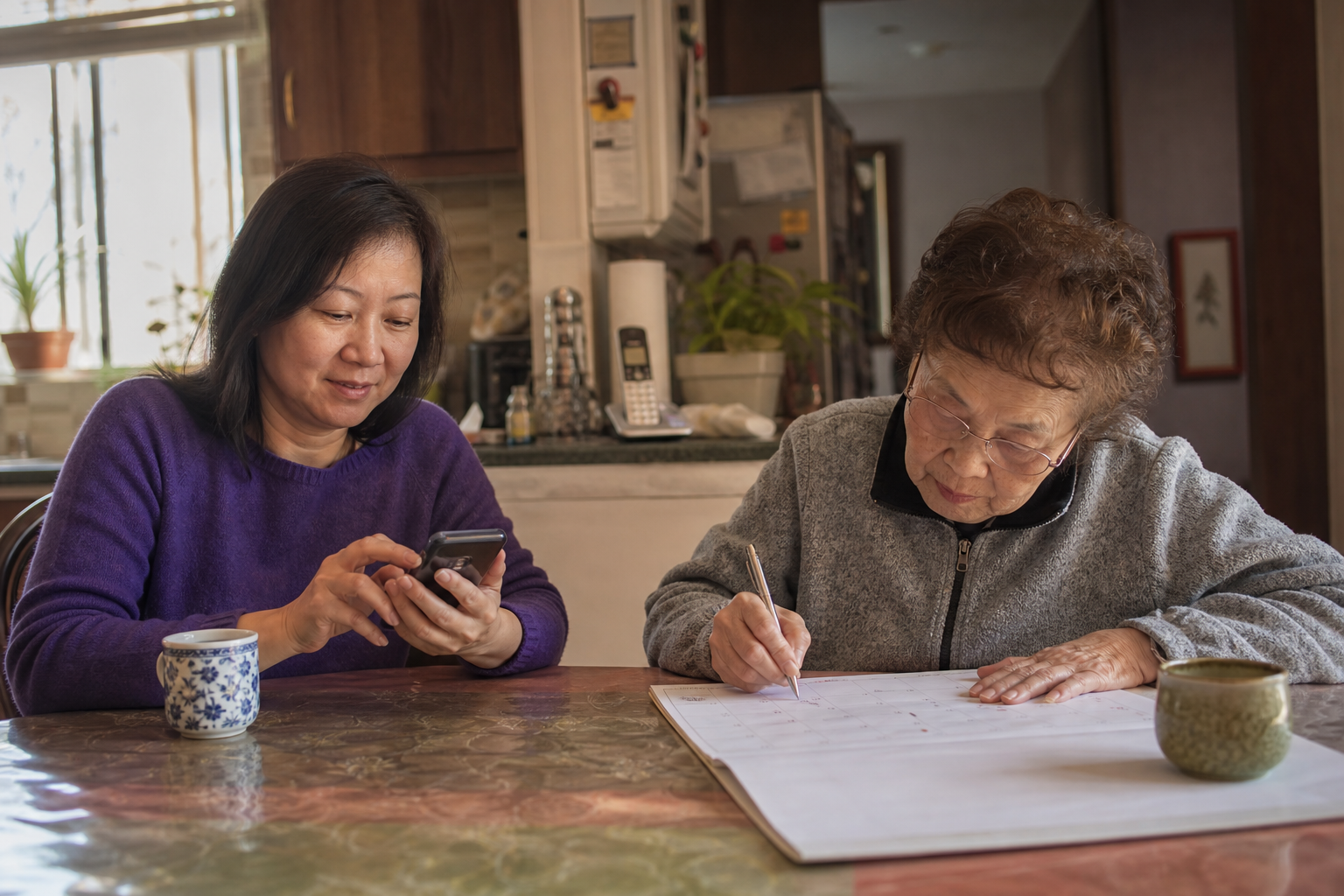
Adult daughter and elderly mother sitting at a kitchen table, looking at a smartphone together next to an open paper planner.
How to Keep Track of an Aging Parent's Medical Appointments
9:05

Your parent's primary care doctor wants bloodwork before the next visit. The cardiologist mentioned a follow-up "in a few months." The eye doctor's office left a voicemail, and your sister just texted to ask whether anyone is driving Dad on Thursday. Each piece is manageable alone. Together, they create a steady stream of things to remember.

Many family caregivers find that a simple, consistent system brings this under control. You don't need a perfect setup. You need one that everyone in the family understands and actually uses.

The approach below covers appointments, owners, reminders, follow-ups, and records. You can start with one piece this week and add the rest when you're ready.

What is the best way to keep track of an elderly parent's medical appointments?

The best way to track elderly parent medical appointments is one shared calendar that the whole family can see. Every appointment on it includes the doctor's name and location, plus a named person responsible for that visit. After the visit, the summary and any follow-up orders get attached to that same calendar event, so nothing gets lost between offices.

That's the whole system: one calendar, one owner per visit, and everything that comes out of the appointment stored with it. The sections below walk through each piece so you can set it up step by step.

Why tracking medical schedules becomes complex with age

A younger adult might see one doctor a year. An aging parent often sees five or six: a primary care physician plus a cardiologist, a neurologist, an ophthalmologist, and a physical therapist. Each office has its own scheduling line, its own patient portal, and its own way of sending reminders.

Several other things add to the load:

  • Referrals expire if no one books the specialist in time.
  • Lab orders are easy to forget because they happen between visits.
  • Your parent may book appointments on their own, and no one else hears about it.
  • Siblings text each other asking, "Wait, when is Dad's cardiology appointment?"

None of this means anyone is doing a bad job. It means the information lives in too many places. Once you see that, the fix is straightforward: bring it all into one place.

Build one shared medical appointment tracker

Right now, your parent's schedule might be spread across a paper calendar on the fridge, one sibling's phone, and three separate patient portals. A shared medical appointment tracker replaces all of those with a single source everyone checks.

Most older adults' patient portals don't sync to a family calendar, so someone has to enter each appointment by hand. That person might be you, your parent, or a sibling who likes this kind of task. Choose a person and keep it consistent.

For every appointment, capture:

  • Date and time
  • Doctor's name and specialty (for example, Dr. Patel, cardiology)
  • Office address and phone number
  • Purpose of the visit (annual checkup, medication review, post-surgery check)
  • Who is driving or attending

If you prefer to start simple, a doctor appointment calendar template in a shared spreadsheet works fine. You can move to a dedicated app later. Your first step is to gather every upcoming appointment you know about and enter them in one sitting.

Assign a person to every appointment

"Someone will take Mom" is how appointments slip. Every visit needs a named owner, and each role needs a name attached:

  1. Who drives your parent there and back
  2. Who sits in the room and listens
  3. Who handles the follow-up calls for labs, referrals, and the next booking

These can be the same person or three different people. If several siblings are involved, rotate the roles so the work spreads evenly over time.

Long-distance siblings have a real place in this too. A brother three states away can own scheduling and follow-up phone calls even if he can never attend in person. Many families find this split works well because the local sibling handles rides and the remote sibling handles the phone. Our guide to long-distance caregiving covers more ways to stay involved from afar.

If you also manage busy kids, this works the same way as keeping track of multiple kids' appointments and activities. It's the same system, just a different generation.

Set reminders that work for the parent and the family

Good reminders happen in three waves:

  • A few days ahead: This gives time to plan transportation, swap drivers, or arrange time off work.
  • The day before: This confirms the plan and gives everyone a chance to gather paperwork.
  • The morning of: This gives a quick nudge with the time and address.

If your parent manages any part of their own schedule, include them in these notifications. A reminder on their phone or a printed note by the coffee maker keeps them part of the process. It also protects their independence, which matters to many parents.

Once the visit is on the calendar and the reminders are set, how to prepare for a parent's doctor appointment covers the next step.

Track what happens after the visit

Most dropped balls happen after the appointment. The referral never gets scheduled. The lab order sits in a drawer for weeks. The "come back in three months" never makes it onto anyone's calendar.

Two habits close most of these gaps. First, book the next visit before leaving the office, while you're standing at the front desk. Second, log every follow-up order as a task with a specific due date and an owner. For example: "Schedule neurology referral, due March 14, owner: Sam."

Then attach the post-visit summary to the appointment it came from. For a fuller checklist, six essential steps for caregivers after a doctor's visit is a helpful companion.

Keep the records with the appointment

Referral letters, after-visit summaries, test results, and insurance paperwork all belong attached to the calendar event they relate to. When a new specialist asks, "What did the cardiologist say in September?", you can open the September cardiology appointment and find the answer in one tap.

This keeps records in context. A lab result makes more sense sitting next to the visit that ordered it. For a broader filing system, see how to organize medical records for elderly parents.

When your parent books things you do not know about

Many parents still call the doctor's office themselves, and that's a good sign of independence. It just means some appointments may never reach the family calendar.

A few habits help:

  • Weekly check-in: Ask your parent once a week whether they've booked or received any appointments. Sunday dinner or a regular phone call works well.
  • Portal proxy access: If you have proxy access to their patient portals, check them during the same weekly routine.
  • Family email confirmations: Ask each office's front desk to send appointment confirmations to a shared family email address as well.

Offices are far more willing to share details when your parent has signed a release form naming you. Under HIPAA, a provider can share information with family members involved in a patient's care when the patient agrees, and a personal representative with health care decision-making authority has the same access rights as the patient. Our guide to HIPAA authorization for aging parents explains how to set it up.

How Neela simplifies family caregiving

Neela is an AI-powered family caregiving app built to hold this whole system in one place. She keeps a shared calendar for your care network, and the family caregiver sets each member's access level. Appointments live next to the providers list, medications, and tasks, so follow-up orders become tasks with due dates without a separate tool. Neela also works as a caregiver app for appointments across every generation of the family, from parents to kids.

Here's how her features map to each step:

  • Scribe records the appointment to create a transcript and a clear summary, and the audio itself is never saved. That summary stays attached to the visit.
  • Vault provides secure, HIPAA-compliant storage for referral letters, test results, and insurance paperwork.
  • Ask Neela answers questions from your family's own care information through chat. A sibling can type "When is Mom's next neurology appointment?" and get the answer without texting anyone.

She keeps the logistics clear so your family can focus on your parent.

The whole system in four parts

Strip everything else away, and the system has four parts:

  1. One calendar the whole family can see
  2. One owner named for every appointment
  3. Follow-ups logged as tasks with due dates
  4. Records attached to the visit they came from

That's the entire way to track elderly parent medical appointments with confidence. You don't need to build it all today. A good first step is to enter the next three appointments you know about, each with a name beside it. Once those are in place, the rest of the system can grow from there.

How to Keep Your Parent's Doctors on the Same Page When There Are Five of Them

How to Keep Your Parent's Doctors on the Same Page When There Are Five of Them

When a parent sees several doctors, the family caregiver is the one who hears all of them. How to keep them on the same page with one summary, one...
Read More
The Best Caregiving App Is the One Your Parent Never Has to Touch

The Best Caregiving App Is the One Your Parent Never Has to Touch

The right caregiving app for a parent who doesn't use technology is one they never have to open. How caregiver-side apps work, what to look for, and...

Read More
Best Apps for Coordinating Elderly Parent Care

Best Apps for Coordinating Elderly Parent Care

Simplify caregiving by discovering the best apps for coordinating elderly parent care to sync schedules, track medications, and improve family...

Read More